Full coverage and Related Coverage
On this page
Full coverage is a button on a result card. It searches the whole 4Search index for other reports whose headline means the same as this one, so you see how different outlets covered the same story. Related Coverage searches by what the story is about: its people, places, organizations and keywords.
#Compare reports on a story
- On a result card, select Full coverage.
- The page reloads with the article's headline in the search box and a list of reports with a similar headline. The article you started from is usually in the list too.
- Compare the cards: the source, the age, the length and the tone bar. Select a headline to read.
- To return to your first results, use your browser's Back button.
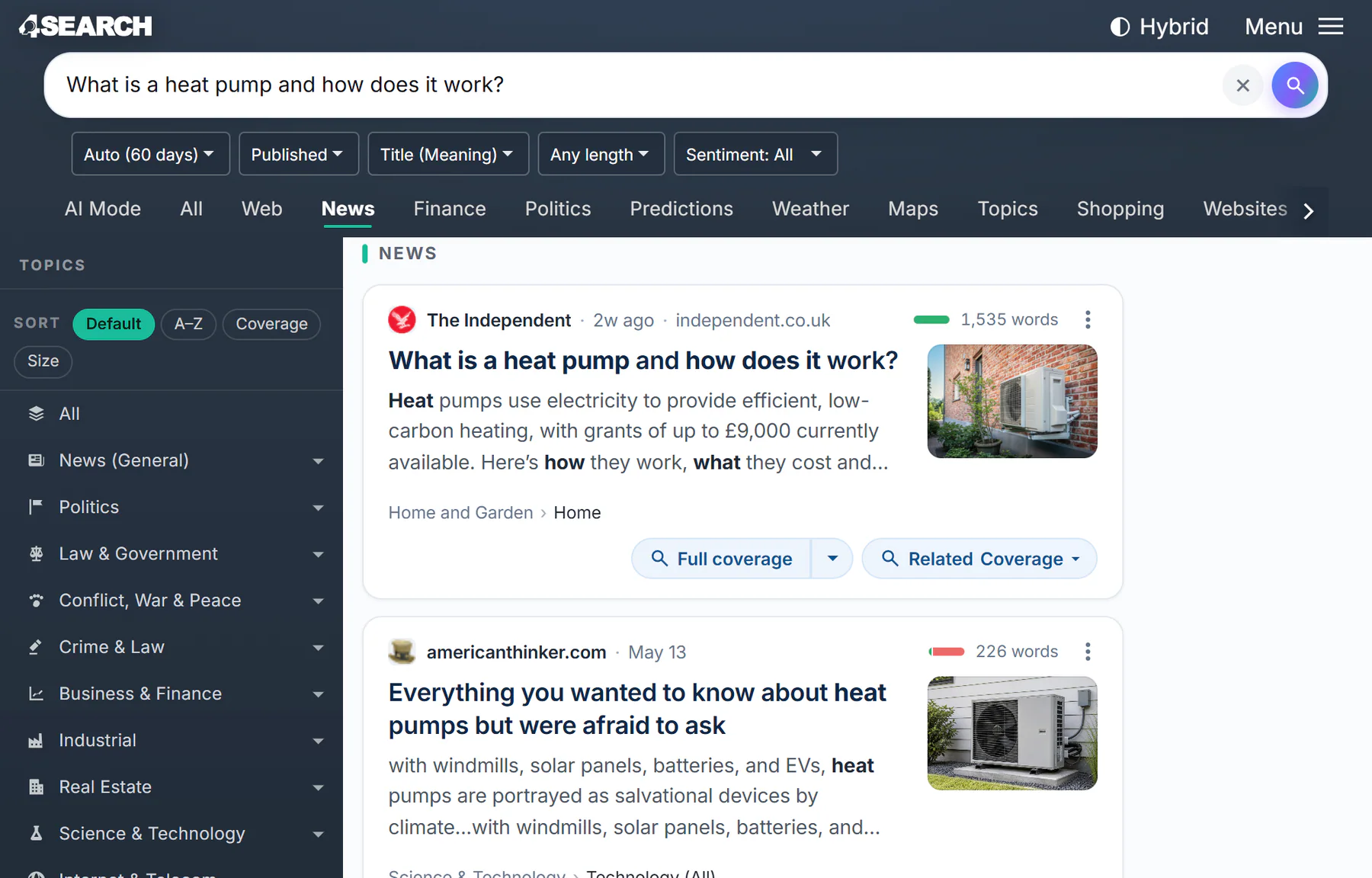
After Full coverage: the headline is the search, the date menu is on Auto, and the list shows reports with a similar headline.
- 1The headline is now the search
- 2The date menu is back on Auto
- 3Reports with a similar headline
The match menu reads Title (Meaning) on this page, because the search compares the meaning of headlines. See Meaning, text or both.
#Narrow it to a topic
Some headlines are broad ("Update on talks") and the whole index returns too much. The arrow beside Full coverage opens a menu to narrow the search.
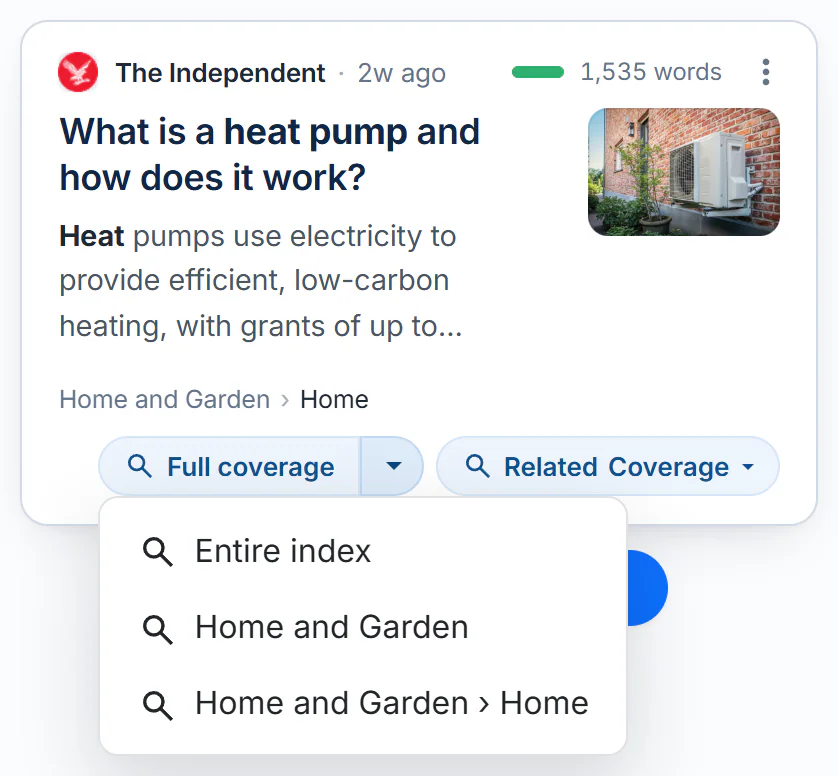
The arrow beside Full coverage lists the whole index, then each level of the card's topic path.
- 1Full coverage: searches the whole index
- 2The caret opens the topic menu
- 3Entire index, then each level of the topic path
- Entire index is the same as selecting the button itself.
- The lines below it are the card's topic path, from broad to narrow, such as
Home and GardenandHome and Garden › Home. Choose one to search only inside that topic.
A card without a topic path has no arrow. See Read a result card for the topic path and Topics for what the topics are.
#Follow the people, places and tags
Related Coverage opens a menu. Each line searches for other articles that carry the same tags as this one.
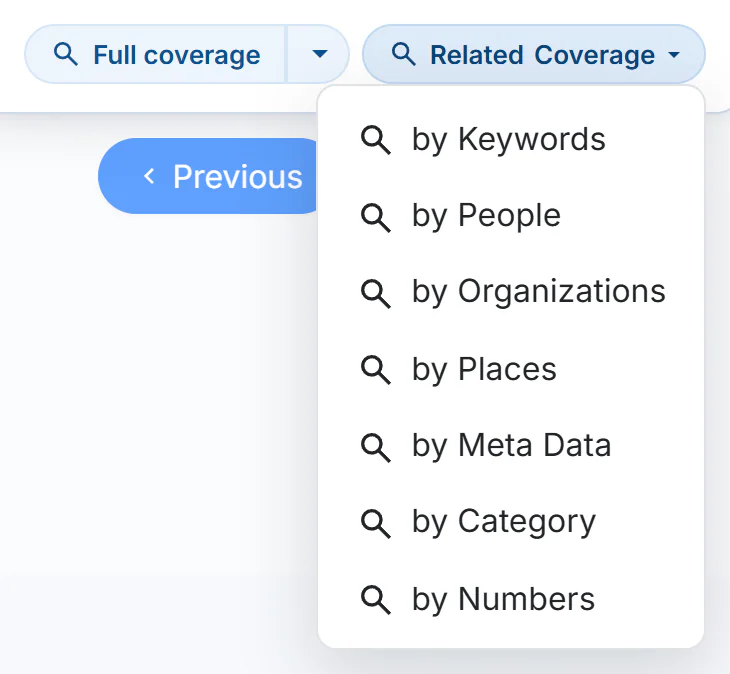
Related Coverage: one search for each kind of tag the article carries.
- 1Related Coverage
- 2Search the tags this article carries
| Line | What it searches for |
|---|---|
| by Keywords | The keywords the article is tagged with |
| by People | The people it names |
| by Organizations | The companies, agencies and groups it names |
| by Places | The places it names |
| by Meta Data | The tags the publisher or 4Search attached |
| by Category | The categories and tags it is filed under |
| by Numbers | The numbers it is tagged with |
The search box fills with the tags that were searched. You can edit them and search again to widen or narrow the list. When an article has no tags of one kind, that line has nothing to search for and returns an unrelated list. Try another line.
#Pictures, videos and Web results
- On Images and Videos, Full coverage stays on the tab and shows more pictures or videos for the same story.
- On a Web result, Full coverage searches the 4Search index for articles with a headline like that page's title. See The Web column.
#What to expect
- Full coverage compares headlines, not whole articles. A similar headline is usually the same story, but not always: a general headline finds general articles.
- It finds only what is in the 4Search index.
- It runs on Auto. The date menu shows how far back it looked, for example Auto (60 days). Set a range yourself to look further back or to keep only recent coverage. See Choose a time window.
- Time words inside a headline, such as
today, do not change the window.
#Common questions
Does Full coverage always find the same story from other outlets?
It lists the reports in the index whose headlines are closest in meaning. When other outlets covered the story they usually appear. When none did, you see articles on similar subjects. Use the topic menu to narrow the list.
Why is the article I started from first?
Its headline matches itself best. Read past it for other outlets' reports.
How do I get back to my original search?
Use the Back button in your browser. A Full coverage search is a new search, so your earlier filters are not carried into it.