See who sits on each committee
On this page
Committees are where Congress does much of its detailed work: bills are sent to a committee first, and a committee decides whether to move them on. The Committees pages list every committee and subcommittee of the House and the Senate, with who chairs it, who is the ranking member, who sits on it and what it handles.
#Browse the committees
-
Open Committees in the row of Politics sections.
-
Find your chamber's card: Senate committees, House committees or Joint committees.
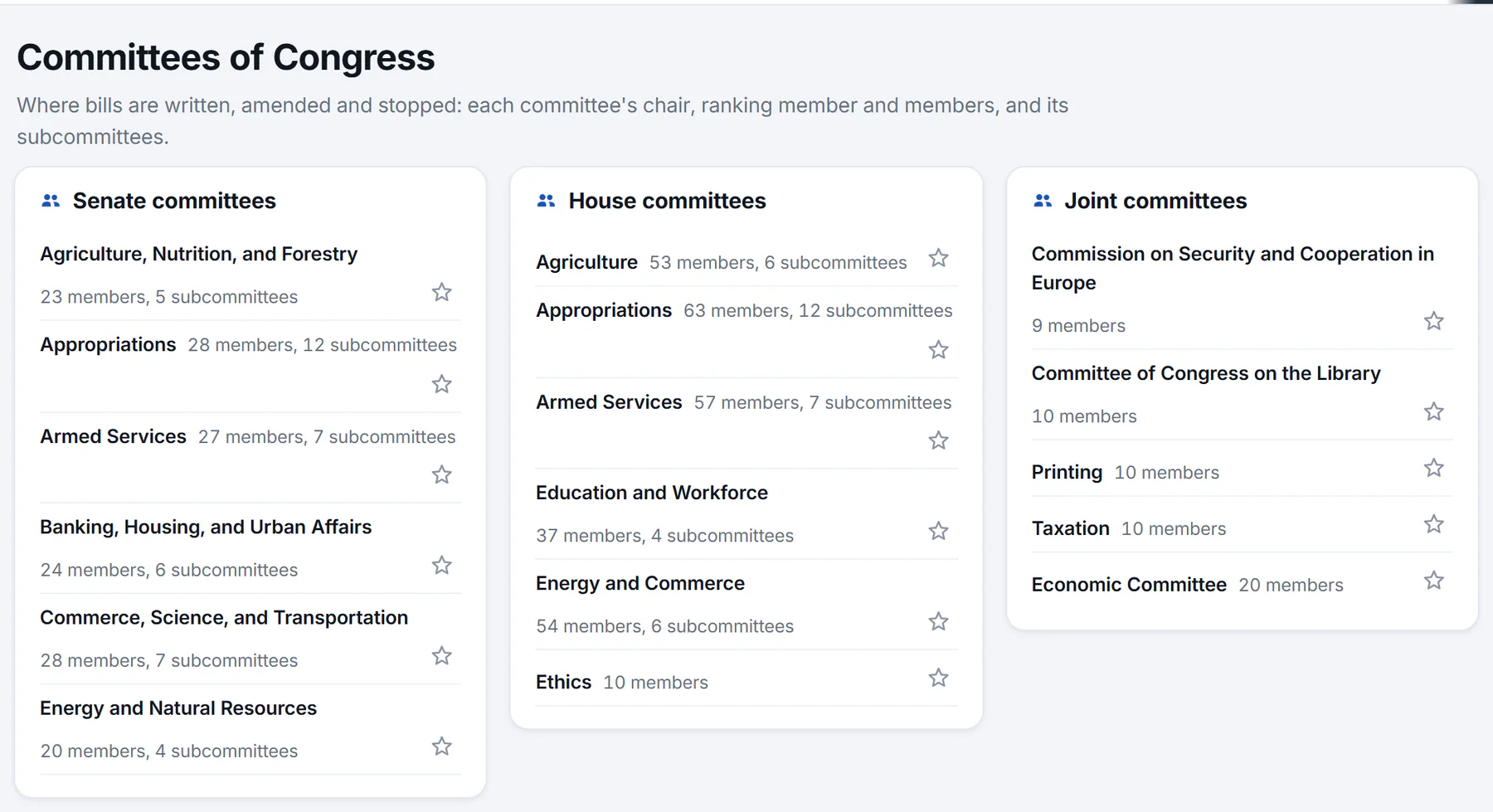
The Committees page. Each row gives a committee's name, how many members and subcommittees it has, and a star to follow it.
- 1One card per chamber
- 2A committee: select it for its members
- 3How many members and subcommittees
- 4Star: follow this committee
-
Select a committee's name to open its page.
Each row shows the committee's name, its number of members and its number of subcommittees. Joint committees have members from both the House and the Senate. Committee names appear without the words "Committee on", so the Senate Committee on Finance shows as Finance.
#A committee's page
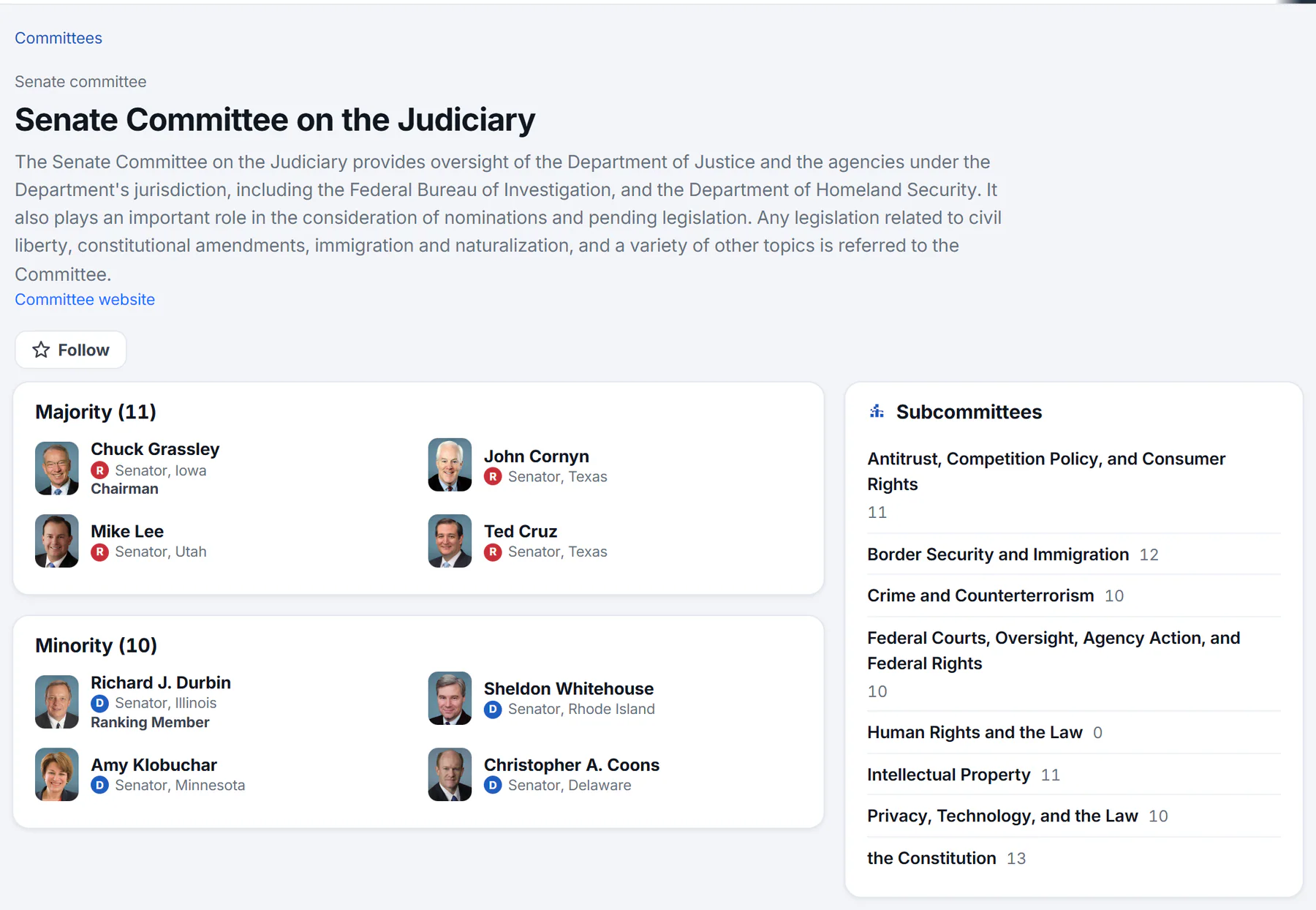
A committee's page. The first card lists the majority members with the chair marked; the minority members follow it.
- 1Chamber and kind of committee
- 2What the committee handles
- 3Follow the committee
- 4Majority members
- 5The chair
- 6Subcommittees
A committee's page gives you:
- The chamber and the kind of body, such as Senate committee, then the committee's full name.
- A description of what the committee handles, which is its jurisdiction, when one is on record.
- A link to the Committee website, and a Follow button. See Follow what matters to you.
- The members, in cards headed Majority and Minority, with a count of each. A committee that does not divide its members this way lists them under Members. Each member shows their photo, party and seat, and a role when they have one, such as Chairman or Ranking Member. Select a name to open the member's page.
- Subcommittees, in the side column, each with its number of members. Select one to open its own page, which lists its members in the same way.
- In the news: recent headlines that name the committee.
#Majority, minority, chair and ranking member
The majority side is the members from the party that holds more seats in the chamber, and the minority side is the rest. The chair leads the committee and comes from the majority. The ranking member is the senior member of the minority side, and leads it.
#Find the committees a member sits on
Open a member's page and look at the Committees card. It lists their committees and subcommittees with any role. A subcommittee is shown indented beneath its committee.
#Common questions
Does Politics show hearings and meeting schedules?
No. Politics shows who sits on each committee, its subcommittees and the news that names it. A bill's page records when a committee acts on it, in the bill's Actions list.
Why does a subcommittee show no members?
A subcommittee can be listed with no members when none are on record for it. Its parent committee's page still shows its own members.
What is the difference between a committee and a subcommittee?
A subcommittee is a smaller group inside a committee that takes up one part of its work. A subcommittee's page names its parent committee in its title and in the breadcrumb at the top.
How current are the lists of members?
Committee memberships change only when members are assigned or reassigned, and Politics refreshes the lists about once a day. See Where the information comes from.